
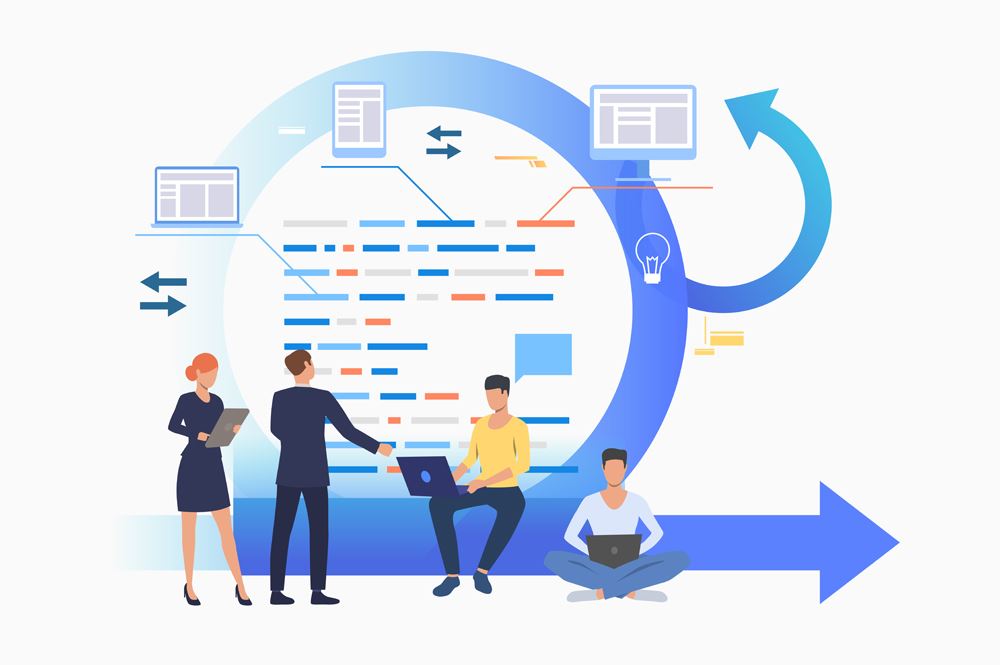
Odoo Implementation Process: 7 Steps to Go Live Without Surprises
Implementing Odoo seems a non-bothering step towards unlocking success for your business. But it’s not as smooth as it may appear to you. It has several steps to execute, ranging from coding, customization, database migration, testing, support, etc. Hence, to simplify the Odoo Implementation Process, you need to gain proven strategies, a practical approach, and expert insights. For this, look no further than consulting a developer who has expertise in this field. This can prove to be an ultimate guide and assistance for your business to get seamless operation of this open source ERP. You can receive tailored service from experts as per specific business requirements.
Short answer
The Odoo implementation process has seven steps: scoping and a project plan, setup and configuration, customization and integrations, data migration, testing with your own users, training, and go-live with support. A small company using a few standard apps can go live in about 6–8 weeks; a typical mid-sized rollout takes 8–12 weeks, and longer with heavy customization.
Stepwise Odoo Implementation to Prevent Errors and Obstructions
Choosing Odoo as ERP software for business brings significant advantages to the table. It is used by millions of people worldwide because it covers so many business functions in one system. So, from accounting to CRM, sales, and payroll, it can streamline a variety of tasks. But accurate installation of this software is key to attaining full advantage. So, when you engage experts, they follow below Odoo Implementation Steps.
- Documenting Project Plan
Requirements assessment and compilation help experts to gain insights about the functionalities required in the existing system. This is crucial to designing a system that perfectly matches your business needs. Business analysis helps in identifying areas where Odoo can bring invaluable benefits and efficiencies to the system. Thus, developers structure and document a project plan for successful implementation and minimize errors.
- ERP System Customization
With the requirements identified, the team manager analyzes How to Implement Odoo with custom modules and features. They carry out the process in an agile manner to let you have a view of which customizations are being developed. This ensures that the project of Odoo development & implementation stays on track. Once all milestones have been achieved, development is considered accomplished and ready to GO live.
- Migrating Business Data
Data migration is one of the key Odoo Implementation Steps depends on data to be imported to the new system. Developers transfer the database from the existing Odoo application to the new version. This step is vital for maintaining business consistency and ensuring seamless transitioning to the latest version. Expert implementation service providers also undertake the migration of data from a non-odoo system to Odoo ERP securely and smoothly.
- User-end Practice & Service
At the end of the Odoo Implementation Process, developers educate the end-users on how to use the application. Training is hands-on and delivered through recorded video tutorials. Also, before the final launch or live of Odoo, issues are identified and removed. Likewise, localized support from experts is provided to businesses for problem resolution and to ensure seamless application functionality.
Consult Certified & Experienced Developers for Odoo Installation
Odoo Vizion is the right choice when it comes to implementing the Odoo ERP system for your business. We have Odoo Certification, which validates our expertise in implementing, customizing, and using Odoo applications. Thus, we develop modules of this ERP and customize them as per specific business needs. We focus on its functional expertise, such as sales, inventory, and accounting.
The 7 steps at a glance
| Step | What happens | Typical time | Your team’s role |
|---|---|---|---|
| 1. Scoping & project plan | Workshops with each department; a written scope, data list and timeline | 1–2 weeks | Explain your processes, approve the scope |
| 2. Setup & configuration | Apps installed and configured: products, taxes, workflows, users and access rights | 2–4 weeks | Review settings and give feedback |
| 3. Customization & integrations | Custom modules or Studio changes; connections to ecommerce, payments, shipping or other tools | 0–8 weeks, depending on scope | Confirm requirements, test early versions |
| 4. Data migration | Customers, vendors, products, opening balances and stock moved and checked | 1–3 weeks | Clean the data, check the reconciled totals |
| 5. Testing (UAT) | Your users run real scenarios from scripts; issues are logged and fixed | 1–3 weeks | Run the tests and sign off |
| 6. Training | Role-based sessions and short guides for each team | 1–2 weeks | Attend, and pick internal super-users |
| 7. Go-live & support | Final data load, switch-over, then close support in the first weeks | 1 week, plus about 30 days of support | Use Odoo daily and report issues fast |
Before you start: a short checklist
- Name one decision-maker on your side.
- List the processes you want in Odoo first — start small and add apps in phases.
- Decide how much history you really need to migrate.
- Choose Community or Enterprise, and where Odoo will run (Odoo Online, Odoo.sh or your own server).
- Block time for your team for testing and training.
For the full methodology with roles and checklists, read our Odoo implementation guide.
FAQ’s
How Odoo official partner help in implementing Odoo?
Odoo Vizion is a certified Odoo partner offering valuable support during the Odoo Implementation Process. We offer a variety of services ranging from customization to integration, development, and installation.
Can you guarantee a successful Odoo implementation?
No honest partner can guarantee an ERP outcome, but the risk can be kept low: a written scope, sign-off at the end of each phase, testing with your own users before go-live and a rollback plan for the switch-over day. That is how we run every Odoo project.
How can you handle the customization of Odoo ERP software?
Our skilled developer analyzes your business needs first and develops a plan for customization of modules. We have an Odoo Certification specialization to perform modifications tailored to your needs.
Can I get my existing business ERP to the Odoo system?
Yes, our specialization in Odoo migration can perform this task efficiently for your business. We ensure you have an Odoo migration without minimal disruption to support business operations.
How can you ensure seamless integration of Odoo with other applications?
At Odoo Vizion, our services involve integrating Odoo with other software applications. You don’t need to worry about How to Implement Odoo with third-party app integration seamlessly.
Do you provide user-end training and support during Odoo implementation?
We pledge to offer you user-end training and support to minimize the hassle of operating the system. Our developers ensure your team has clear familiarity with its modules and functions.
Can you provide timely project delivery for implementing Odoo?
We opt for an agile project management approach for the Odoo Implementation Process. Our team ensures transparent communication, timely updates, and meets clients’ expectations seamlessly.
For the complete methodology, read our Odoo implementation guide.
Odoo Certified Partner Teams in the USA & UAE Reply within 1 business day
Talk to an Odoo expert
Tell us what you’re working on. We’ll reply within 1 business day with practical next steps for your business.